Ali SEO Services — Official Website Checker 2026
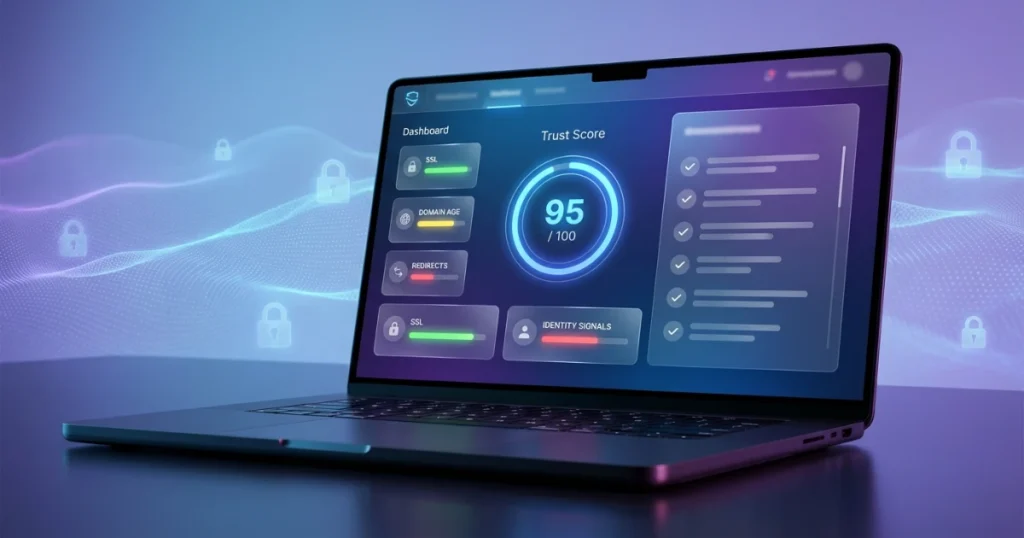
High-trust scan: redirects, SSL, domain age (RDAP), identity signals, plus official verification using a mandatory brand whitelist and authority proofs (social backlink + contact consistency).
🔒 Official verification
✅ Authority proofs
✅ Positive signals
⚠️ Caution signals
❌ Risk flags
Ali Official Website Checker: How to Know If a Website Is Official (or a Fake) Before You Trust It
Scam websites don’t always look like scams anymore.
In 2026, impersonation sites copy logos, colors, layouts, even “support” pages. Some use paid ads, fake social profiles, or WhatsApp messages to push people into entering logins, OTPs, CNIC details, bank info, or card numbers. Many of these sites are designed to look “almost” correct—just one small spelling change, a different domain extension, or a clever redirect.
That’s why we built the Ali Official Website Checker—a simple tool that helps you estimate whether a website is likely official or potentially risky using real technical signals and a clear verification checklist.
This tool is made for everyday users, businesses, and teams who want a quick answer before they click “Sign in,” “Pay,” “Verify,” or “Submit.”
What This Tool Does (In Simple Words)
The Ali Official Website Checker scans a website and returns:
- A score out of 100
- A clear verdict (Likely Official / Unclear / Likely Unofficial)
- A breakdown of positive signals, caution signals, and risk flags
- A manual verification checklist you can follow to confirm safely
- Optional Google Safe Browsing check (if the site is flagged for threats)
This is not a “magic judge.” No tool can legally verify ownership without direct confirmation from the company or government records. But what we can do is identify patterns scammers use and highlight what looks trustworthy or suspicious.
Why “Official” Is Hard to Identify Online
Most people assume:
- If a site looks professional, it must be official
- If it has HTTPS, it must be safe
- If it ranks on Google, it must be legit
Unfortunately, scammers exploit these assumptions.
A fake site can have:
- A nice design
- HTTPS enabled
- A copy of the brand’s content
- “Customer support” sections
- Even fake reviews and fake badges
So how do we judge it better?
We check signals—technical and identity-related clues that are harder to fake consistently.
What the Ali Official Website Checker Scans
1) HTTPS + SSL Certificate Clues
The tool checks whether the site uses HTTPS (encrypted connection) and attempts to read certificate information.
- Good sign: HTTPS enabled + valid certificate
- Bad sign: no HTTPS (especially on login/payment pages)
Important: HTTPS alone doesn’t guarantee legitimacy—but no HTTPS is a big red flag.
2) Redirect Behavior (Where the Link Actually Takes You)
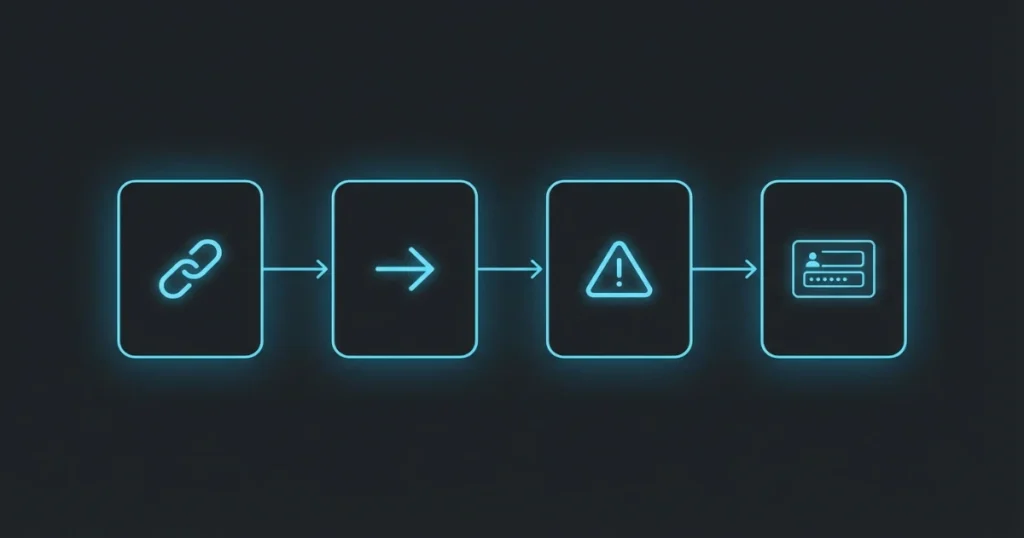
Many scams work like this:
You receive a link → it redirects → it lands on a fake “login” page.
Our tool checks for redirect chains and shows when a URL bounces through multiple locations.
- Good sign: no unusual redirects
- Caution: multiple redirects or suspicious changes
3) Domain Age (RDAP Lookup)
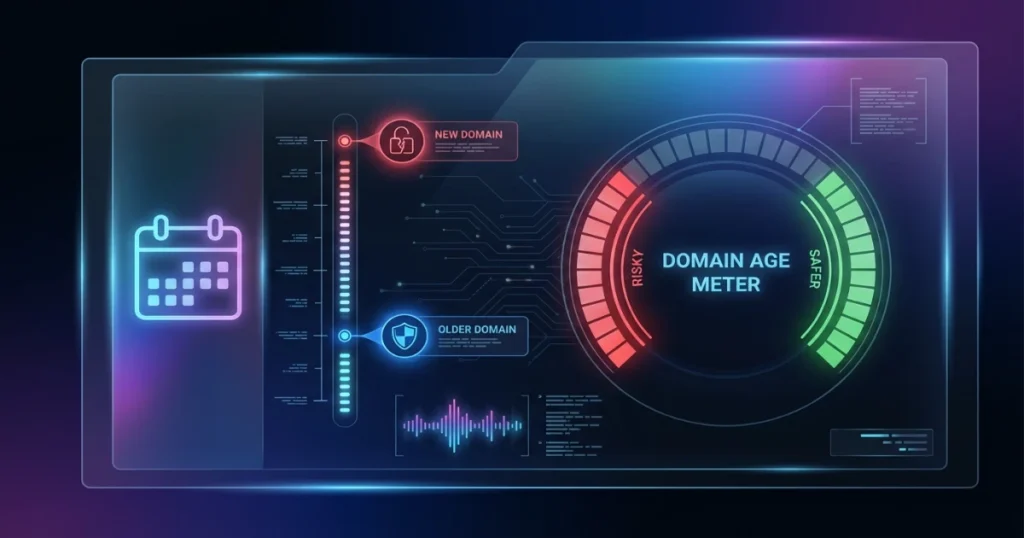
Scam domains are often new. They appear, run campaigns for days/weeks, then disappear.
We use RDAP (a modern replacement for WHOIS in many cases) to estimate domain creation date.
- Risk flag: brand-looking domain created recently
- Caution: domain less than a year old (depending on brand)
A brand new “bank support site” or “official verification portal” is a huge warning.
4) Domain Structure Red Flags
The tool checks for common impersonation patterns like:
- Too many hyphens (e.g., brand-login-secure-support.com)
- Punycode lookalikes (xn--)
- Using an IP address instead of a domain
- Risky or commonly abused TLDs (not always bad, but worth verifying)
These aren’t “proof,” but they raise your awareness immediately.
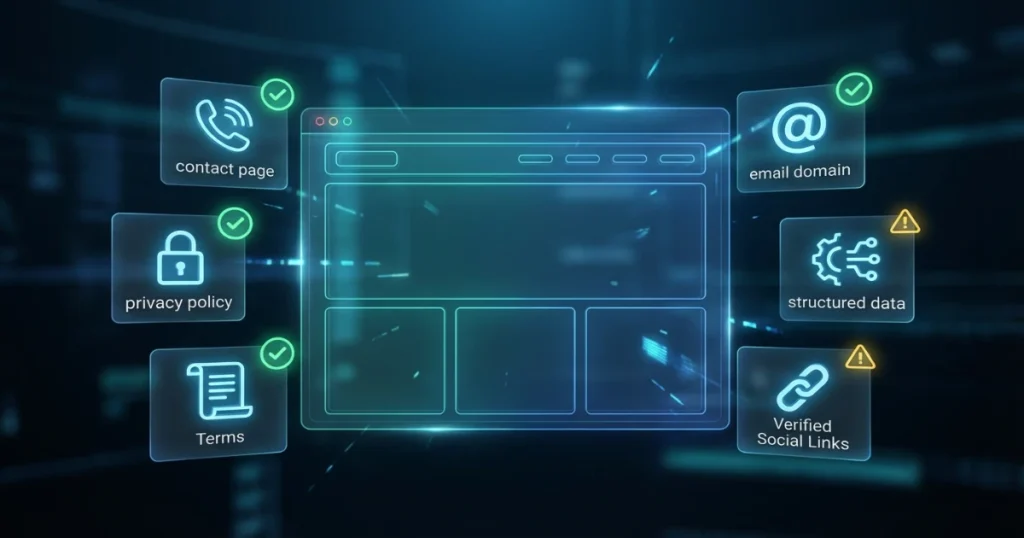
5) Identity Signals from the Homepage
We also scan the homepage HTML for common trust indicators such as:
- Contact page signals
- Privacy policy + terms references
- Real branded email vs free Gmail/Yahoo email
- Organization schema (JSON-LD) and “sameAs” social links
A legitimate company often has consistent identity footprints: policies, contact info, structured data, and verified social links that match the brand.
6) Whitelist Matching (Most Powerful Feature)
This is the “business mode” feature.
You can build a whitelist like:
- Apple → apple.com, support.apple.com
- Daraz → daraz.pk, daraz.com
- Netflix → netflix.com
If the scanned domain matches the whitelist, the tool marks it as Official (Whitelist Match).
For organizations, teams, or support desks, whitelist mode is the fastest way to reduce risk and keep everyone aligned.
7) Optional Google Safe Browsing Check
If you add an API key, the tool can check whether Google Safe Browsing has flagged the URL for:
- Malware
- Social engineering
- Unwanted software
- Potentially harmful apps
If a site is flagged, it’s a serious warning.
If it’s not flagged, that’s good—but still not a guarantee.
Who Should Use This Tool?
This tool is helpful for:
- Customers before entering OTP, password, CNIC, card details
- Businesses checking vendor portals, payment links, or partner sites
- Support teams verifying websites reported by customers
- SEO and marketing teams analyzing brand impersonation risks
- Parents and families double-checking “prize” or “urgent verification” sites
If you get links via:
- WhatsApp messages
- SMS alerts
- Random emails
- Facebook/Instagram DMs
- “Support” phone calls that send you links
…this tool helps you do a quick safety scan before doing anything risky.
What You Should Always Do (Even After the Score)
A score is an estimate. Your best protection is your behavior.
Here are the safest habits:
✅ 1) Type the official domain manually
Never login or pay from a random link.
Open a new tab and type the official domain yourself.
✅ 2) Use verified social profiles to confirm the link
Many brands keep the official link in bio on verified profiles.
Cross-check.
✅ 3) Check for real contact details
Look for:
- A branded email domain
- Address and phone
- Policy pages (privacy/terms/refund)
✅ 4) Avoid urgency traps
Scam sites use pressure language:
“Verify now or your account will be suspended.”
“Limited time offer.”
“Claim reward.”
Real brands usually don’t threaten you on random pages.
✅ 5) When in doubt, call the official number
Use Google Business Profile or the official website’s contact.
Final Note: “Official” Needs Confirmation—This Tool Reduces Risk
The Ali Official Website Checker is built to reduce mistakes and improve safety decisions.
It does not replace legal verification or brand confirmation. But it gives you:
- A structured risk score
- Clear signals (what looks good vs risky)
- A checklist you can follow every time
- Optional Safe Browsing protection
- Whitelist control for teams and businesses
Need a professional website audit in the UAE?
Ali SEO Services delivers in-depth technical, SEO, UX, and AI-readiness audits tailored for UAE businesses—so you know exactly what’s blocking rankings, traffic, and leads.
Stay safe. Verify before you trust.
Enjoying our SEO & AI search insights?
Make AliSEOservices.com a Preferred Source on Google to see our SEO, AEO, local search and AI visibility insights more prominently in your Google experience.